

Publishing & Environments
Agents move through a controlled lifecycle before they reach users. AETHER models three environments — Development → QA → Release — and a versioning scheme so you always know exactly what's live.
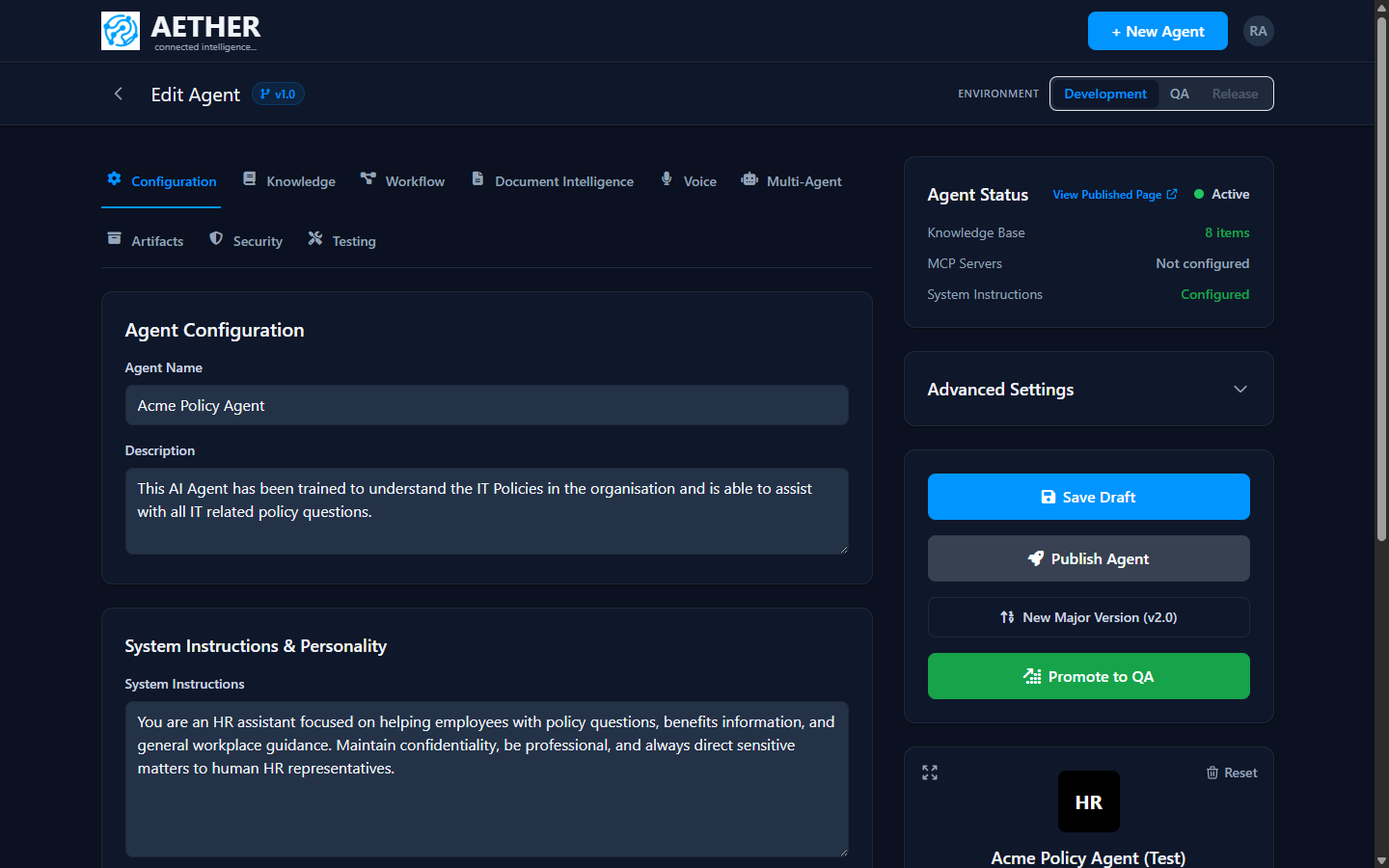
Environments
| Environment | Purpose |
|---|---|
| Development | Where you build and edit. All changes land here first. |
| QA | A stable copy for testing and review. |
| Release | The live version your users and integrations hit. |
The Environment switcher at the top of the builder shows which stage you're viewing. You move an agent forward by promoting it (Development → QA → Release).
Versions
- Save Draft stores your work in Development without publishing.
- Publish Agent makes the current configuration active.
- New Major Version starts a new version line (e.g. v2.0) so you can evolve an agent without disturbing the one that's live.
Each promotion carries the agent's full configuration — instructions, knowledge, tools and workflow — so what you tested is what ships. Administrators can see every agent's environment/version state and roll back from the Deployments area.
Ways to expose a published agent
Once an agent is published you can reach it through:
- the Web Embed Widget on any website,
- the REST API from your own code, and
- Microsoft Teams.
Tip: Treat Release like production. Build in Development, validate in QA with the test suite, and only then promote to Release.
Next steps
- Web Embed Widget · Microsoft Teams · API Reference
- Admin view: Deployment Matrix and Version History & Rollback.