

Steps, Branching & Tools
A workflow is a graph of steps connected by transitions. This page describes the step types in the Workflow Designer and how to branch between them.
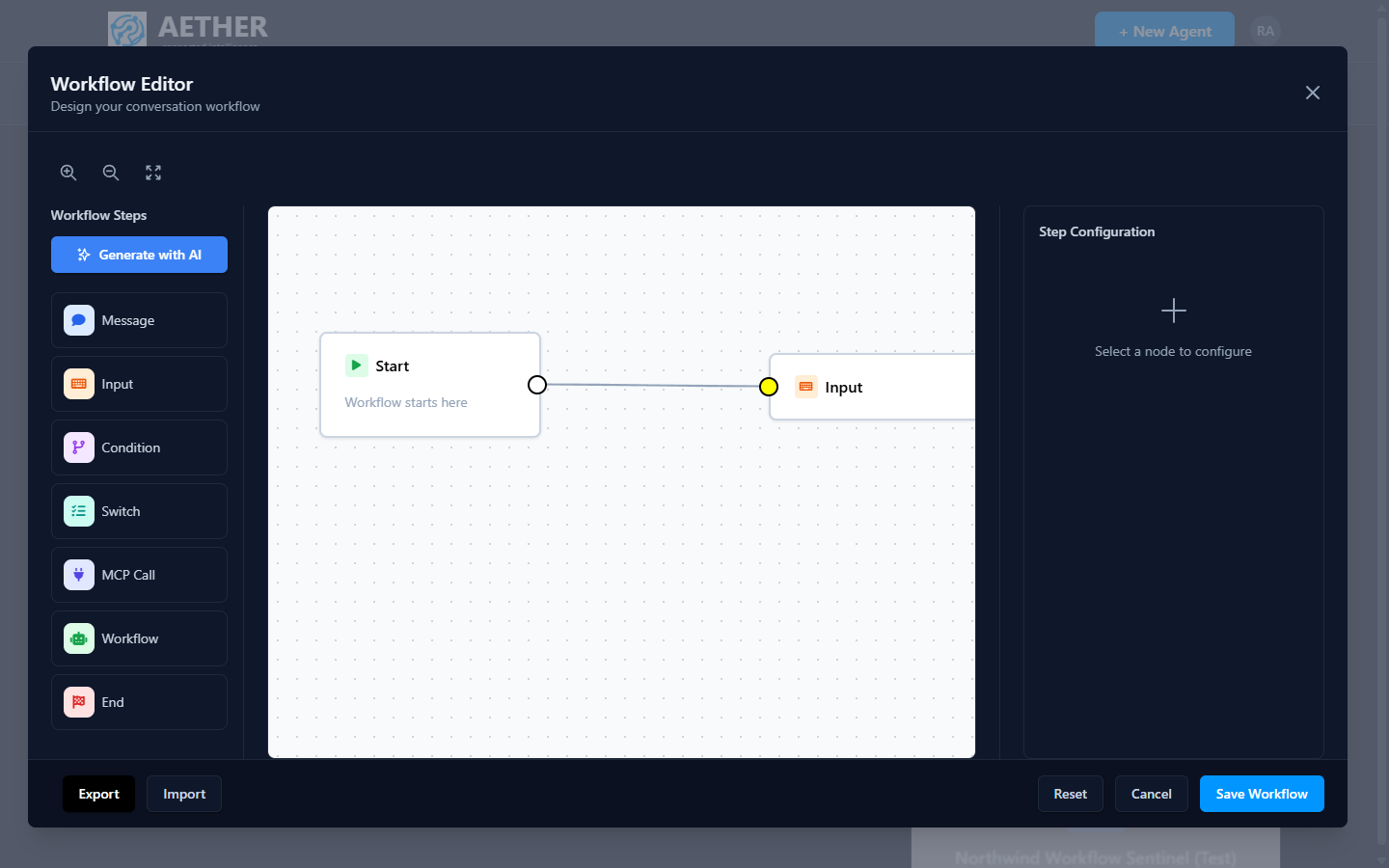
Step types
| Step | What it does |
|---|---|
| Start | Entry point — every workflow begins here. |
| Message | The agent says something to the user. |
| Input | Collect a response from the user and carry it forward. |
| Condition | Branch on a true/false test (if/else). |
| Switch | Branch into multiple paths based on a value. |
| Decision | Ask several questions in one call and branch on a table of rules. See Decision Step. |
| MCP Call | Invoke an MCP tool and use its result. |
| Workflow | Embed another workflow as a reusable sub-flow. |
| End | Terminate the workflow (or a branch of it). |
Branching
- Use a Condition for two-way logic ("Is the user an existing customer?").
- Use a Switch when one value selects among several paths ("Route by request type").
- Use a Decision when several judgments combine, or when the flow should know how confident it is ("Technical AND angry, otherwise ask again").
- Transitions define the order; a step can lead to different next steps depending on the branch.
Mixing in knowledge and tools
Steps don't run in isolation from the agent's capabilities:
- An MCP Call step fetches live data or performs an action at an exact point in the flow.
- Message/Input steps still benefit from the agent's knowledge base, so answers stay grounded even inside a guided path.
This is the power of workflows: deterministic structure where you need it, RAG and tools where they add value.
Tip: Keep flows shallow and readable. If a branch grows complex, extract it into a nested Workflow step and reuse it.
Next steps
- Voice Agents and other advanced capabilities.
- Testing & Conversations — exercise the flow end to end.