

Signing In & the Dashboard
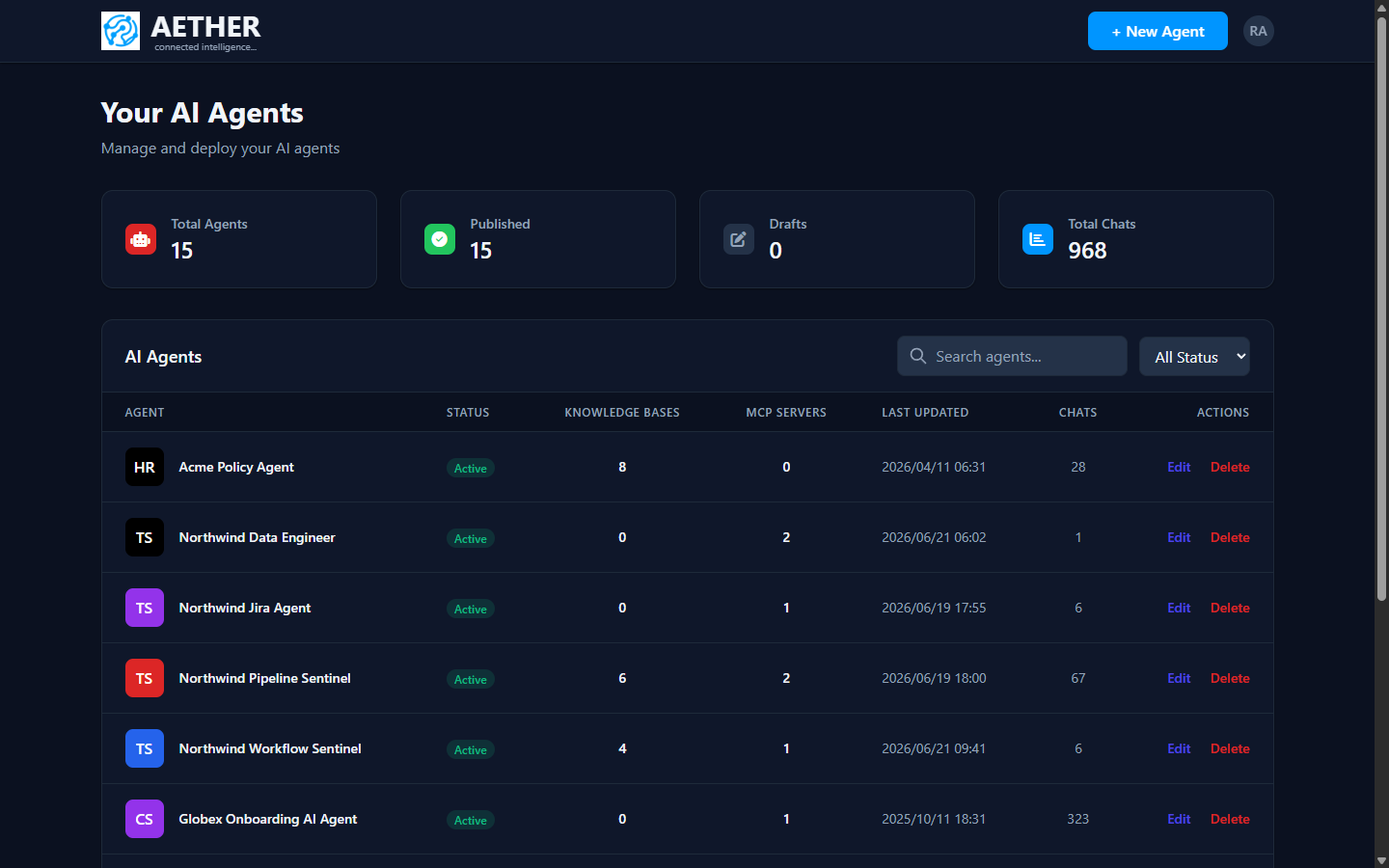
After you sign in, AETHER takes you to your Dashboard — the home base for every agent you own or can administer.
Signing in
Open the platform and choose Login (top-right). Enter your email and password and you'll land on the Dashboard. If your account has an admin role, an Admin Portal link also appears in the user menu — see the Administration docs.
What's on the Dashboard
The top of the page shows four summary cards:
- Total Agents — every agent visible to you (owned plus any within your admin scope).
- Published — how many are live (status Active).
- Drafts — agents you've saved but not yet published.
- Total Chats — conversations across those agents.
Below the cards, the AI Agents table lists each agent with its:
| Column | Meaning |
|---|---|
| Agent | Avatar + name |
| Status | Active (published) or Draft |
| Knowledge Bases | Number of attached knowledge sources (RAG) |
| MCP Servers | Number of connected tool servers |
| Last Updated | When the configuration last changed |
| Chats | Conversations recorded for that agent |
| Actions | Edit or delete |
Use the search box and status filter to narrow the list, and the pagination control at the bottom to move between pages.
Next steps
- Create something new: Create Your First Agent.
- Open an existing agent by choosing Edit — that opens the agent builder.