

REST Endpoints
Integrate an agent into your own application with a small set of REST endpoints. Every published agent exposes the same three core operations: start a conversation, send a message, and get conversation history.
Each agent's published page documents these endpoints with copy-ready examples and your agent's real ID and host:
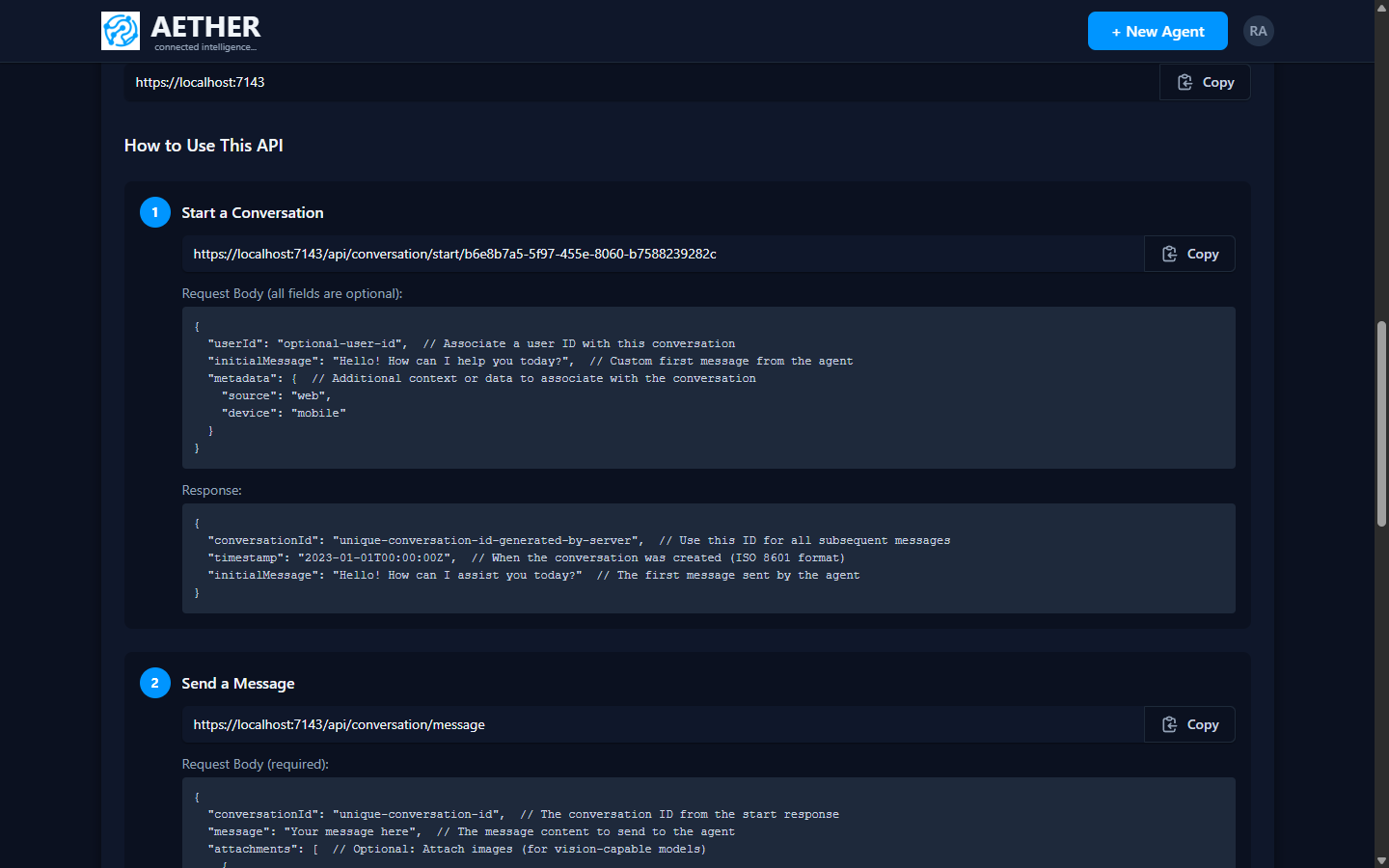
Base URL & agent ID
All requests use your platform host as the base URL (for example https://your-host) and your
agent's ID. You'll find both on the agent's published page (Agent ID and API Endpoint).
1. Start a conversation
POST /api/conversation/start/{agentId}
Content-Type: application/json
{
  "clientUserId": "optional-user-id",
  "initialMessage": "Hello! How can I assist you today?",
  "metadata": { "source": "my-app" }
}
Returns a conversationId — use it for every subsequent message.
{
  "conversationId": "550e8400-e29b-41d4-a716-446655440000",
  "timestamp": "2026-01-01T12:00:00Z",
  "initialMessage": "Hello! How can I assist you today?"
}
2. Send a message
POST /api/conversation/message
Content-Type: application/json
{
  "conversationId": "{{conversationId}}",
  "message": "What is your refund policy?",
  "metadata": { "source": "my-app" }
}
Returns the agent's reply.
3. Get conversation history
GET /api/conversation/{conversationId}
Returns the full message history for the conversation.
All request/response bodies are JSON. Fields marked optional can be omitted.
Next steps
- Authentication — API keys and anonymous access.
- Postman Collection — try the API without writing code.