

System Instructions
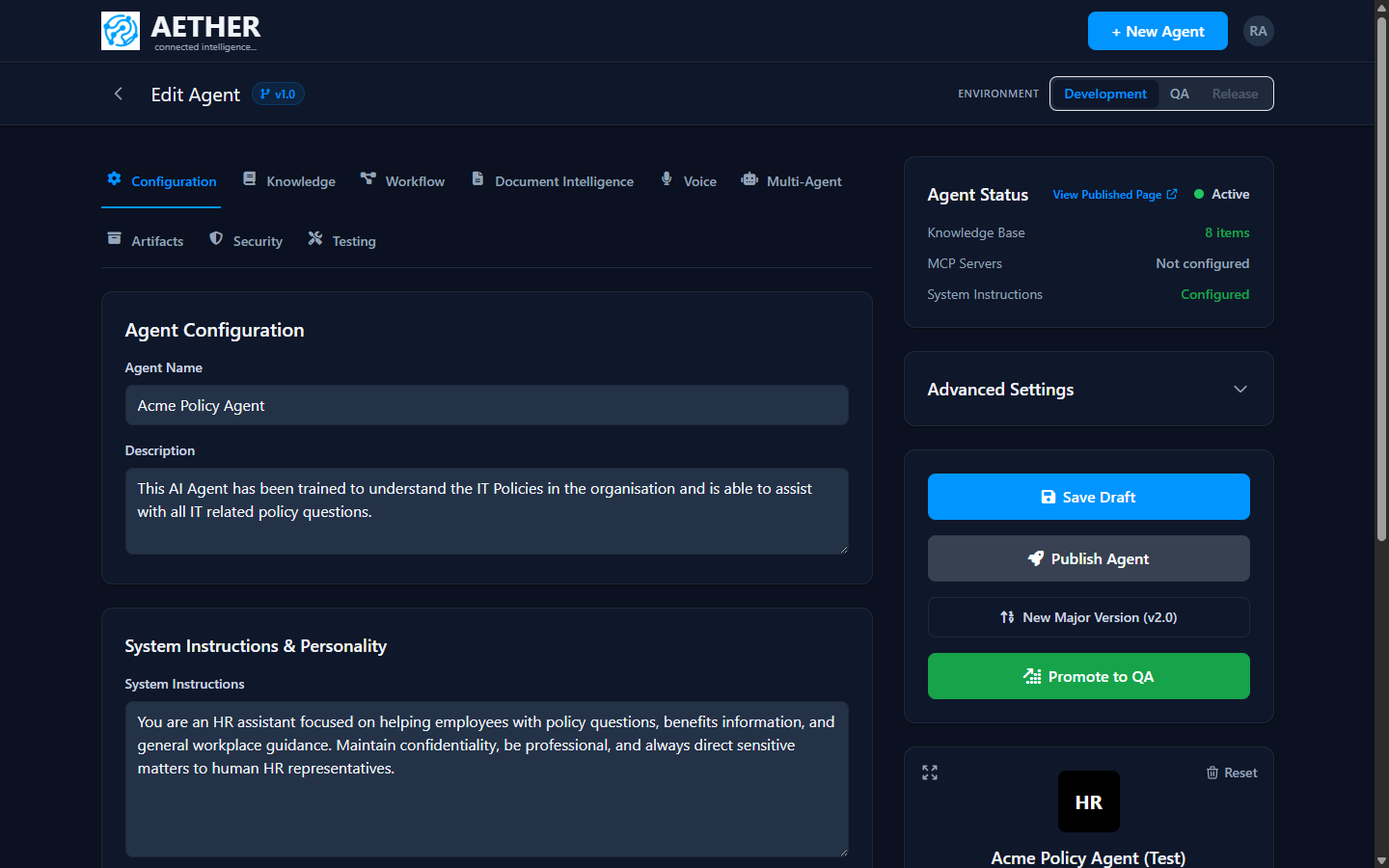
System instructions are the prompt that defines your agent's job, voice and limits. They are the single most important lever over how an agent behaves. You set them in the Configuration tab, under System Instructions & Personality.
What good instructions cover
Write instructions the way you'd brief a capable new colleague:
- Role — who the agent is and what it's responsible for.
- Scope — what it should and shouldn't help with.
- Tone & style — how it should sound and how long answers should be.
- Boundaries — topics to avoid, when to defer to a human, how to handle sensitive data.
- Use of tools & knowledge — when to retrieve from the knowledge base or call a tool.
Example
You are an HR assistant focused on helping employees with policy questions, benefits
information, and general workplace guidance. Maintain confidentiality, be professional,
and always direct sensitive matters to human HR representatives.
Tips for reliable behaviour
- Be specific. Vague instructions produce vague agents. State the role and limits explicitly.
- Prefer rules over hopes. "Never share another employee's data" beats "try to be careful".
- Lean on knowledge, not memory. If facts live in documents, tell the agent to answer from its knowledge base and cite sources.
- Test adversarially. Use the Testing suite to check the agent doesn't leak its instructions or get talked out of its boundaries.
Note: System instructions are versioned with the agent. When you promote a version through environments, its instructions travel with it.
Next steps
- Appearance — give the agent a face.
- Testing & Conversations — verify the behaviour you defined.