

Adding Knowledge Sources
Knowledge sources ground your agent in your content using RAG (Retrieval-Augmented Generation). Instead of relying on the model's general training, the agent retrieves relevant passages from documents you provide and answers from them — with citations.
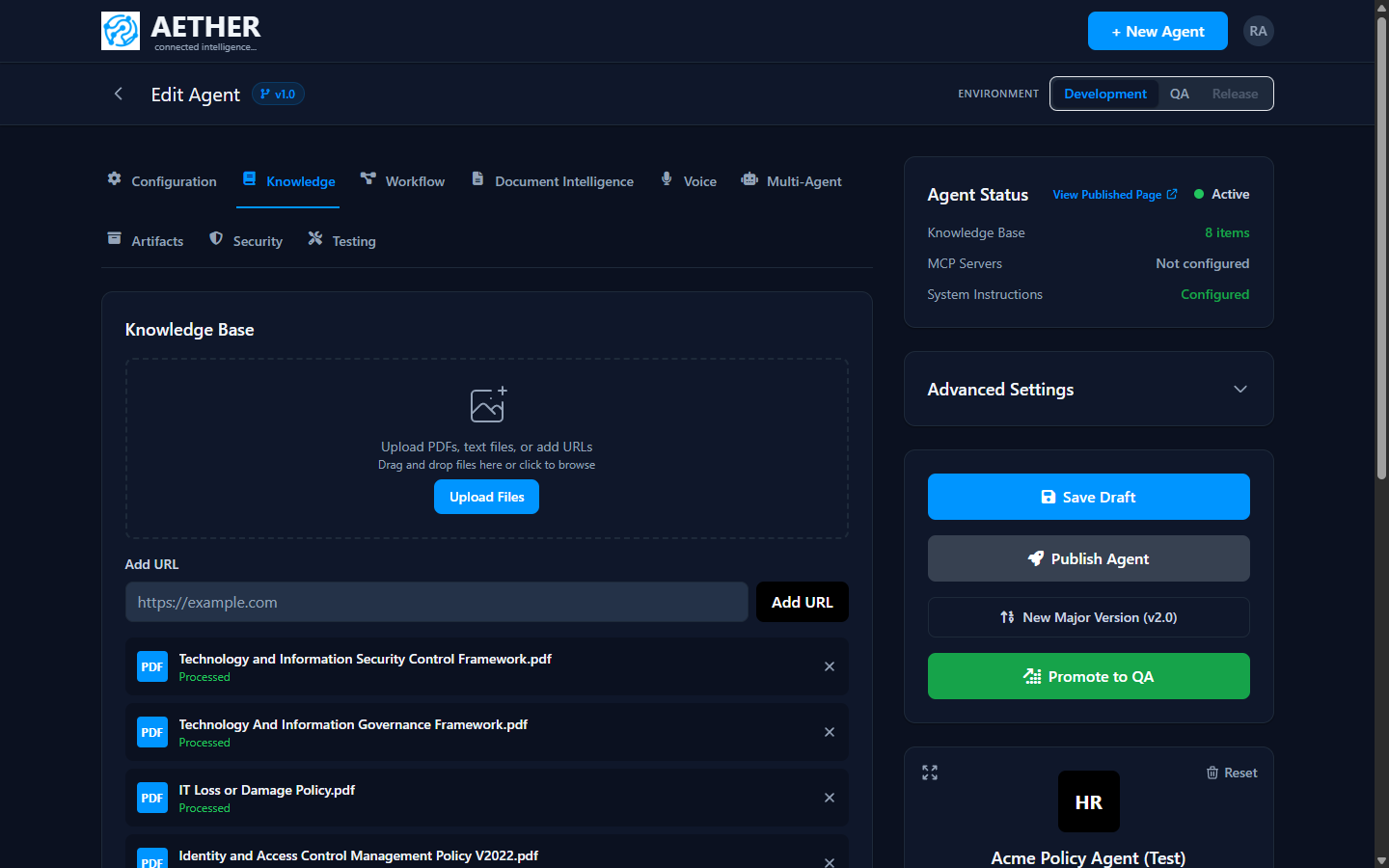
You manage them in the Knowledge tab of the agent builder.
Supported source types
- PDFs — policies, manuals, reports, contracts.
- Text files — plain-text or markdown content.
- URLs — public web pages the agent should know about.
Adding a source
- Upload files — drag PDFs or text files onto the upload zone, or click to browse.
- Add a URL — paste a link into Add URL and confirm.
Each source is then processed: the platform chunks it, generates embeddings, and indexes it for retrieval. A status indicator shows when a source moves from processing to Processed and is ready to use. Remove a source any time with the × next to it.
Note: Processing time depends on document size. Large PDFs take longer; the status updates automatically when indexing finishes.
How the agent uses sources
Once processed, sources are searched automatically during conversations. When the agent answers from a source it can attach citations, so users (and auditors) can see exactly where an answer came from. For the mechanics, see How Retrieval Works.
Next steps
- How Retrieval Works — chunking, embeddings and retrieval.
- Connecting MCP Tools — give the agent live actions as well as knowledge.