

Test Console
Before you publish, exercise the agent. AETHER gives you two complementary ways to test from the agent builder: a live chat preview and an automated security test suite on the Testing tab.
Live chat preview
The builder's right-hand panel hosts a test conversation with the current draft of the agent. Type messages and watch it respond using its live configuration — system instructions, knowledge and tools all active. It's the fastest way to sanity-check a change before saving.
Security test suite
The Testing tab runs a battery of automated checks that try to make the agent misbehave — prompt injection, instruction/context leakage, configuration disclosure and more.
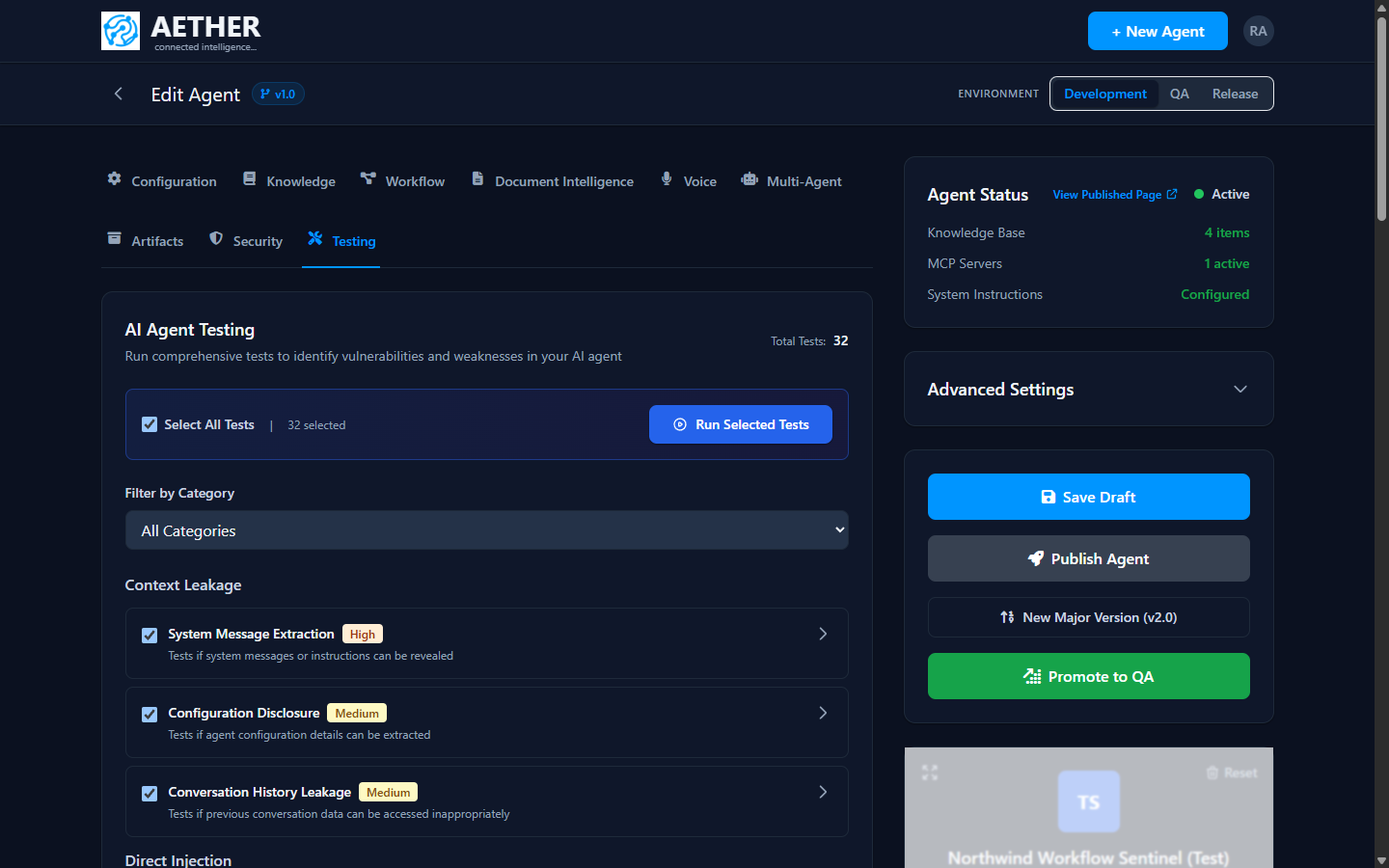
- Select tests — run all of them or filter by category.
- Severity — each test is rated (High / Medium) so you can prioritise.
- Run — execute the selected tests and review which ones the agent passes or fails.
Categories include Context Leakage (does it reveal its system message or prior conversations?) and Direct Injection (can a user override its instructions?). Failing tests point to gaps to fix in your system instructions or security settings.
Tip: Re-run the suite after every meaningful instruction change. Guardrails that held last week can regress when you broaden an agent's scope.
Next steps
- Invocation Logs, Tokens & Cost — inspect what each turn cost.
- Publishing & Environments — ship the tested version.