

Managing Agents
The Admin AI Agents directory gives administrators a view of every agent across their scope — who owns it, what environment its versions are in, and what it costs.
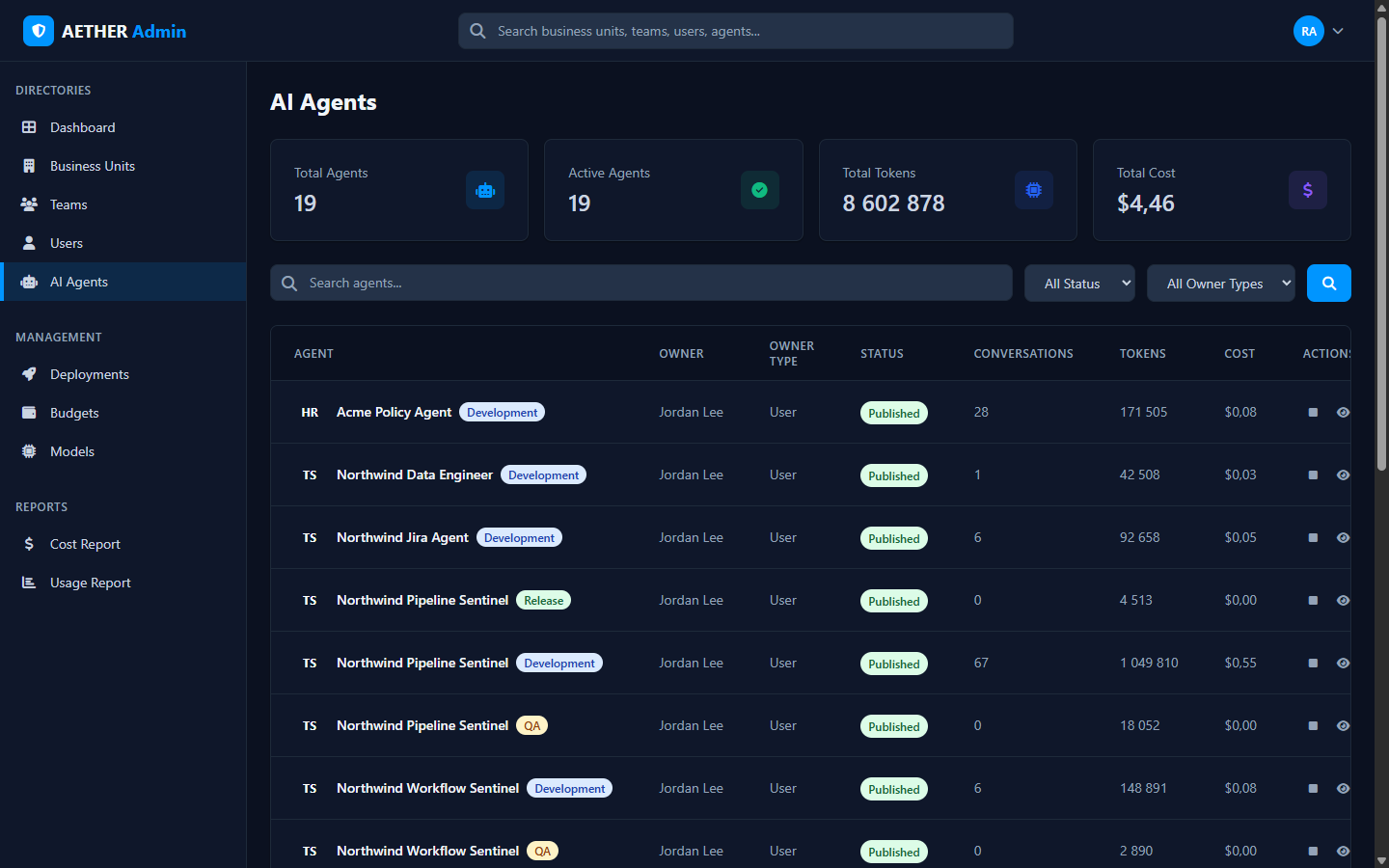
The directory
Summary tiles show total/active agents, total tokens and total cost. The table lists, per agent:
| Column | Meaning |
|---|---|
| Agent | Name, with an environment badge (Development / QA / Release) per version |
| Owner / Owner Type | The user (or team) that owns it |
| Status | Published or draft |
| Conversations | Recorded chats |
| Tokens / Cost | Usage and modelled spend |
| Actions | View and inspect |
Filter by status or owner type, and search by name.
Versions & environments
Because an agent can exist in several environments at once, you may see the same agent line up with different version badges. This admin view is read-across: it's where you confirm what each team has shipped and where. To act on versions — promote, compare, roll back — use the Deployments area.
Scope
Like every directory, this list respects your admin level. Team admins see their team's agents; Business Unit admins see the whole unit; Organization admins see everything.
Next steps
- Deployment Matrix — environments and versions at a glance.
- Cost Report — spend broken down by agent.