

Setting & Monitoring Budgets
Budgets put guardrails on spend. You can cap token or cost usage for a business unit, team, user or individual agent, and choose whether exceeding the cap blocks further usage or simply warns.
The budgets list
The Budgets page lists every budget in your scope with its limits and live consumption — token limit/used/percentage, cost limit/used/percentage, the period, and the enforcement mode. Filter by entity type to focus on (say) just team budgets.
Creating a budget
Choose + New Budget to open the form:
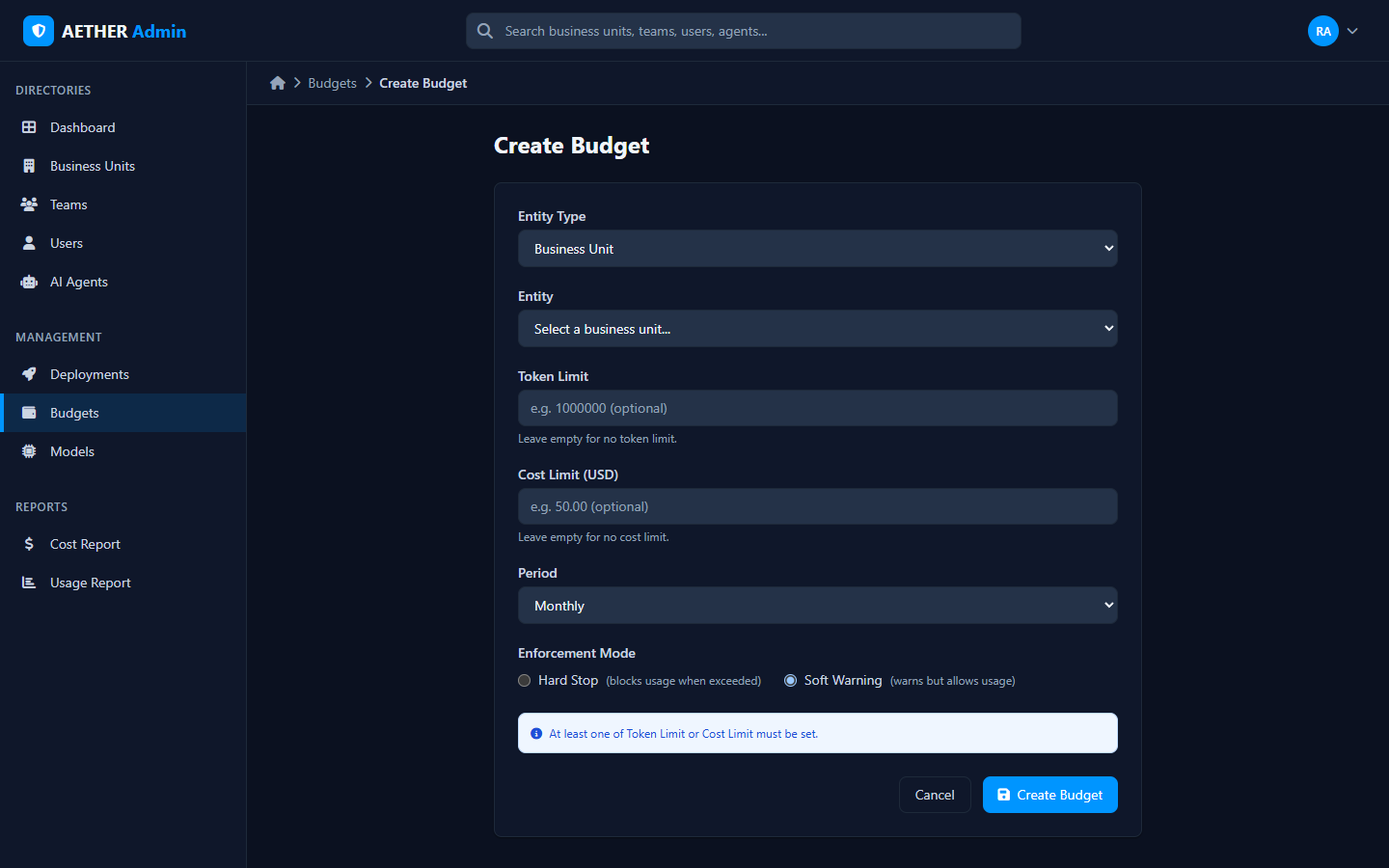
| Field | Purpose |
|---|---|
| Entity Type | What the budget applies to: Organization, Business Unit, Team, User or Agent |
| Entity | The specific organisation/unit/team/user/agent |
| Token Limit | Optional cap on tokens for the period |
| Cost Limit (USD) | Optional cap on cost for the period |
| Period | The reset window (e.g. Monthly) |
| Enforcement Mode | Hard Stop (blocks usage when exceeded) or Soft Warning (warns but allows) |
You must set at least one of token limit or cost limit.
Hard stop vs soft warning
- Hard Stop — once the limit is hit, further usage for that entity is blocked until the period resets. Use it where overspend is unacceptable.
- Soft Warning — usage continues, but the breach is flagged. Use it for visibility without disruption.
Budgets reset automatically each period.
Tip: Start most budgets as Soft Warning to learn real consumption, then switch the ones that matter to Hard Stop.
The Organization budget is your credit
One budget behaves differently from the rest. The Organization budget is your prepaid credit balance: its cost limit is the total credit ever granted to you, and its usage is what you have spent. It is a hard stop, it never resets, and exhausting it stops every agent in the organisation at once.
You do not normally edit it here. Buying credit raises it for you, which is the only way it should grow. See Buying Credit.
Every other budget is a limit within that balance. A team budget of $50 does not add $50; it caps what that team may draw from credit you have already bought.
Next steps
- Buying Credit: top up the balance these budgets draw on.
- Cost Report — see actual spend to size your budgets.
- Usage Report — the token and conversation view.