

Users & Scope
The Users directory is where you manage people — their team and business-unit placement, their role, and their status.
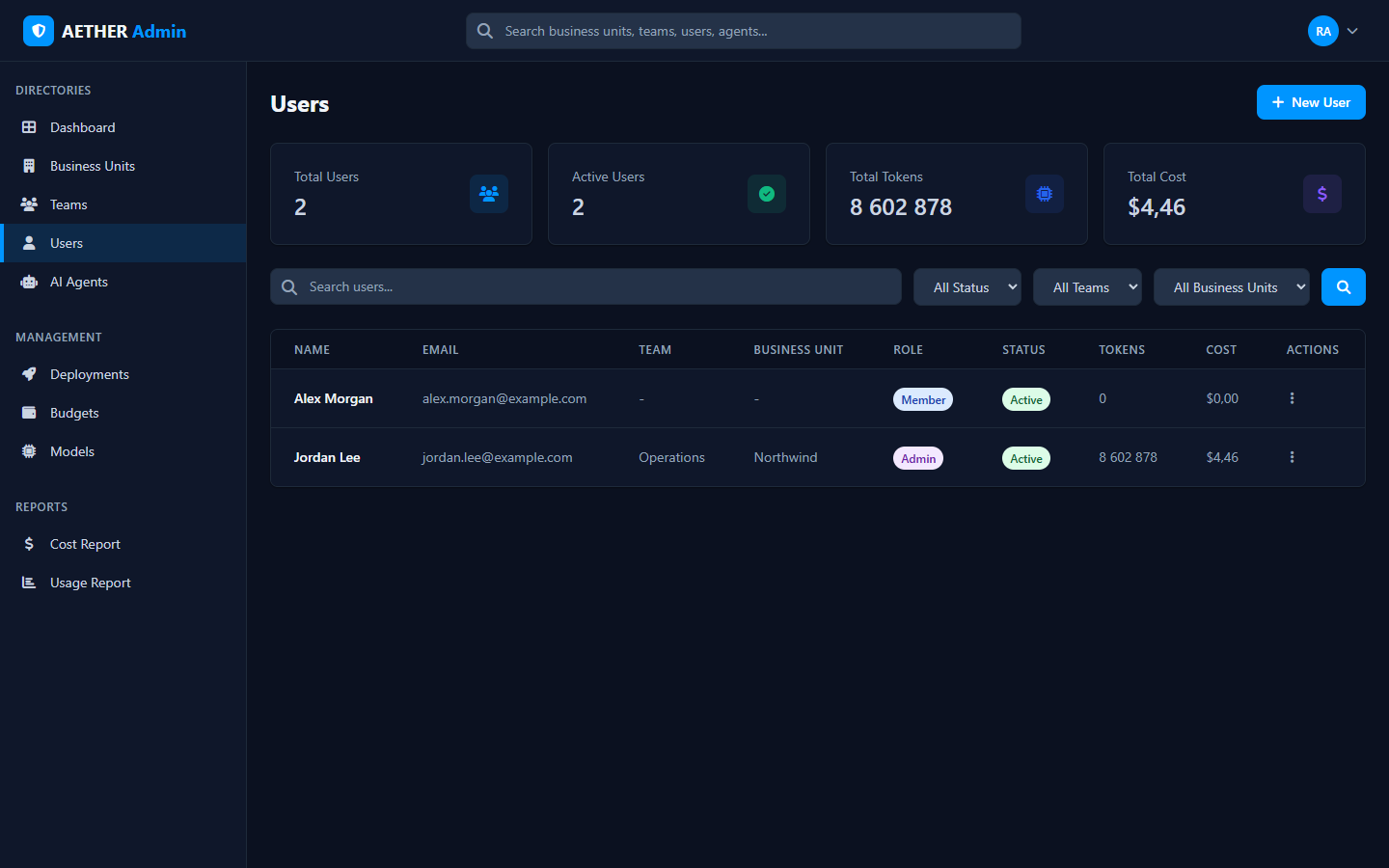
The directory
Each user row shows:
| Column | Meaning |
|---|---|
| Name / Email | Who they are |
| Team / Business Unit | Where they sit in the org |
| Role | Member or Admin |
| Status | Active or Blocked |
| Tokens / Cost | Their usage and modelled spend |
Filter by status, team or business unit, and search by name or email.
Roles & scope
A user's role and placement determine what they can see and do:
- Member — uses the platform; sees their own agents and conversations.
- Admin — gains the Admin Portal, scoped by their level:
- Organization admin — the whole organisation.
- Business Unit admin — their unit(s) and everything beneath.
- Team admin — their team(s).
This is the scope that every directory, report and budget in the portal respects. For the full model, see Overview & Admin Levels.
Managing users
- + New User adds a person and places them in a team/unit.
- Edit changes their role, placement or status; Block disables access without deleting the account.
Tip: Grant admin at the narrowest level that does the job. A Team admin who only needs to manage their team shouldn't be an Organization admin.
Next steps
- Agent Management — the agents users own.
- Budgets — set per-user spend limits.